了解最新动态和产品更新
获取帮助文档和使用指南
当我们在安装好Apache重启后,在终端启动Apache服务时候出现下面报错:
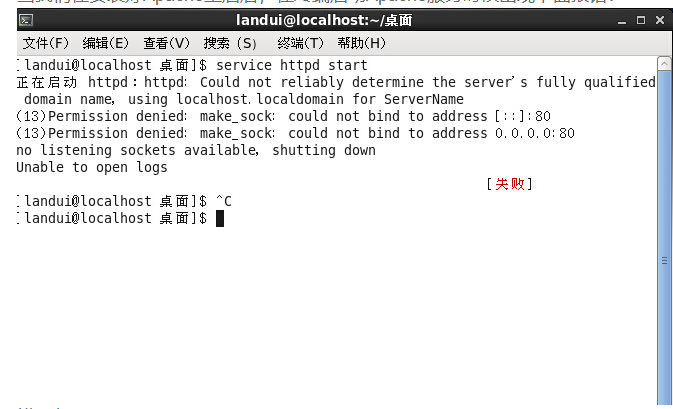
错误代码:
httpd:httpd:Could not reliably determine the servers fully qualified domain name, using localhost.localdomain for ServerName
(13)Permission denied: make_sock; could not bind to address [::]:80
(13)Permission denied: make_sock; could not bind to address 0.0.0.0:80
no listening sockets available, shutting down
Unable to open logs [失败]
错误原因一:可能存在httpd.conf的配置文件中,找到“ServerName localhost:80”这里,把这段前面的#号删除。
(#号在配置文件中表示注释的意思)
错误原因二:用户权限的问题,查看当前是否是root用户,因为小于1024的端口只能是root占用。
切换至root用户。或者更改端口如8000.

扫码添加客服